 (Image source: Gemini)
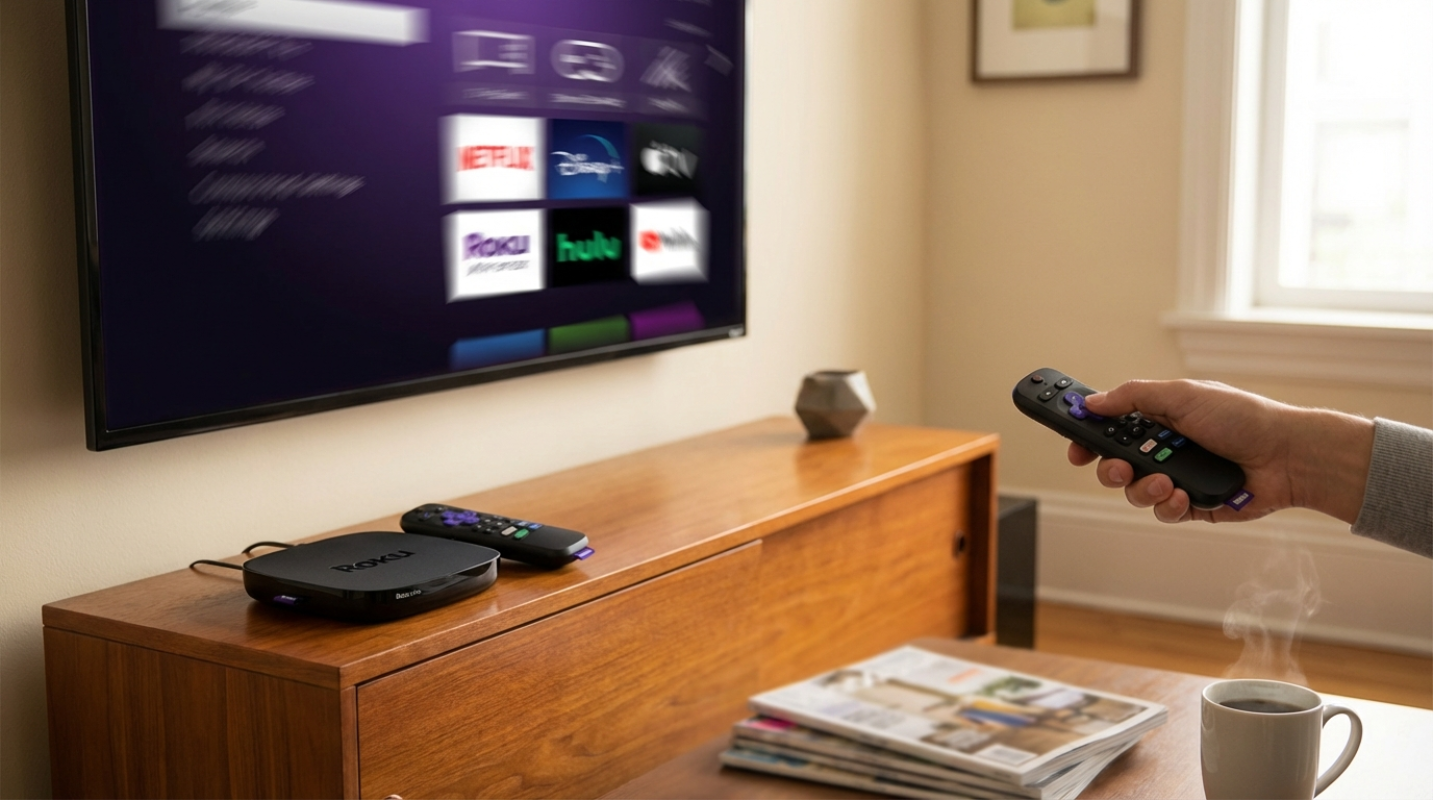
 You've probably asked yourself if a dedicated streaming box is even necessary anymore. Most TVs come with apps built in, and usually work fine for the first year or two. But if you've ever spent five minutes wrestling with a sluggish smart TV menu that feels like it's running on a potato, you know why the Roku Ultra exists. It's for the person who wants their TV to just work without the drama.
The Roku Ultra (Model 4850R) is the gold standard for anyone who values speed and a no-nonsense interface. Roku didn't reinvent the wheel with this one, but they did give it a much-needed tune-up. It's the digital equivalent of upgrading from a bicycle to a motorcycle. You're still going to the same places, but you're getting there a lot faster and with much less effort.
The big question is whether it's worth the $100 price tag when you can get a streaming stick for half that. We're going to look at the raw speed, the way the interface handles your daily scrolling, and whether the latest hardware upgrades actually make a difference in your living room.
Hardware Breakdown
Roku claims this version of the Ultra is 30% faster than any of their previous players.¹ That's a bold claim, but it holds up when you're actually using it. The device uses a new quad-core processor that handles 4K, HDR10+, and Dolby Vision without breaking a sweat. If you've ever had a streaming stick overheat or start stuttering during a high-bitrate movie, you'll appreciate the extra headroom here.
The real-world speed is where you'll notice the change. In testing, apps like Netflix and Disney+ pop open in about four seconds.² If you're coming from an older device where you had enough time to go to the kitchen and grab a snack while an app loaded, this will feel like a revelation. Roku also uses a machine-learning algorithm to guess which app you're going to open next. It pre-loads that app in the background, which is why some movies start playing in as little as one second.³
There's one weird quirk in the hardware that we have to talk about. The Ultra comes with Wi-Fi 6, which is fantastic for stability and speed. You can easily hit wireless speeds over 300 Mbps if you have a modern router. But the physical Ethernet port on the back is still limited to 10/100 Mbps. Using a cable is like having a Ferrari but being forced to drive it through a school zone. For most people, Wi-Fi will be plenty fast and more convenient than a wired connection.
The Roku OS Interface
Roku OS 14 is all about keeping things simple. Although competitors like Google TV or Fire TV try to show you a million recommendations on the home screen, Roku sticks to its grid of apps. It's clean, it's predictable, and most importantly, it's fast. There's almost zero lag when you're flying through the menus. The days of clicking a button and waiting for the cursor to catch up are gone.
One of the best additions is a feature called Quick Media Switching, or QMS. Have you ever noticed that your screen goes black for a few seconds when you start a movie? That's the "HDMI bonk," and it happens because your TV is switching refresh rates. The Ultra is one of the few devices that supports QMS to eliminate that black screen entirely. It makes the transition from the menu to your movie feel seamless.
But it's not all sunshine and rainbows. Roku has been adding more banner ads to the home screen lately. Although they aren't as intrusive as the full-screen video ads you see on other platforms, they still take away from that premium feel. You can't really customize the home screen beyond moving your apps around or changing the theme. If you're someone who wants a deeply personalized experience, you might find Roku a bit too basic.
Feature Spotlight
The remote is arguably the best part of the whole package. The Voice Remote Pro (2nd Gen) fixes almost every complaint people had about previous versions. It has backlit buttons that glow the moment you pick it up. If you've ever spent ten minutes fumbling around in a dark room trying to find the volume button, you'll know how key this is.
- USB-C Charging: You can finally stop hunting for AA batteries in the junk drawer. This remote is rechargeable and lasts for months on a single charge.
- Lost Remote Finder: You can literally say "Hey, Roku, find my remote" and the remote will start beeping from wherever it's hidden in your couch cushions.
- Custom Shortcuts: There are two dedicated buttons that you can program to do whatever you want, like opening a specific app or turning on your smart lights.
One thing to note is that Roku removed the physical 3.5mm headphone jack from the remote. If you liked plugging your headphones directly into the remote for private listening, you'll have to use the Roku mobile app or connect via Bluetooth now. It's a small trade-off for the better build quality and the USB-C port, but it's something to keep in mind if you have a favorite pair of wired earbuds.
Speed and Value
So, where does the Roku Ultra land in the current market? It's faster than the Google TV Streamer in most app-launch tests, even if it doesn't have the fancy AI features or the Gigabit Ethernet port. It's also significantly cheaper than the Apple TV 4K, which is its only real rival for raw performance and interface fluidity.
If you're already using a Roku Ultra from 2022, the speed gains might feel marginal. You probably don't need to rush out and upgrade today. But if you're using a streaming stick, a budget box, or the built-in apps on your TV, the difference is night and day. The reduction in latency alone is enough to make your daily TV watching feel like a much more premium experience.
The 2024 Ultra is for the person who wants the best possible version of the Roku experience. It's for the home theater enthusiast who needs Dolby Vision and Atmos support, but also for the casual viewer who is tired of waiting for their TV to respond. It's reliable, it's fast, and it has the best remote in the business. Although the interface might feel a little old-school compared to the flashy AI-driven menus of its competitors, its simplicity is exactly why people keep coming back to it.
Sources:
1. Roku Ultra 2024 Just Announced With 30% Faster Performance
3. Roku Ultra 2024 Review: A Solid Remote, but a Flagship Deserves More
The reviews and opinions expressed on this site are for informational and entertainment purposes only. While we strive to provide accurate and up-to-date evaluations of businesses, products, and entertainment, the content should not be considered professional advice, and readers are encouraged to verify all specific details, pricing, and availability directly with the respective providers before making any decisions.


.png)